riiForm
Evidence-based CAD software for prosthetic and orthotic socket design
Context
I joined Radii Devices in June 2022. riiForm — the company’s core software — existed, but the interface had been built function-first, with little UX consideration behind it. Tools sat in a flat, unlabelled row along the bottom of the screen: a pencil, an eraser, a slider, a scattering of icons with no grouping and no explanation of what any of them actually did. There was no consistent design language, no defined system, and no clear place to start or path to follow. It also had a scaling problem — there was no underlying structure to build new functionality onto, so every addition risked making the noise worse.
That noise was exactly what Radii didn’t want. Most CAD platforms in this space hand users everything at once, which creates a steep barrier to entry for clinicians who aren’t technical by trade. riiForm’s instinct — splitting the process into distinct steps — was the right one. It just wasn’t built to support it yet.
The Brief
The CEO wanted riiForm to feel tactile — closer to a clinician sculpting a socket by hand than operating a piece of software. It needed to feel familiar enough that clinicians coming from other CAD tools weren’t starting from zero, without copying those tools’ UI directly, since that was exactly the overloaded, high-barrier-to-entry experience Radii was trying to move away from.

A Deeper Layer of Research: Trust
The most valuable research came later, tied to riiForm’s evidence-generated (EG) socket feature — an algorithm that uses data from hundreds of previous prosthetist-led designs to automatically generate a starting socket shape for a new patient, getting a clinician roughly 90% of the way to a finished design. This was independently studied in a published NHS trial across three UK prosthetic centres, which found EG sockets were statistically no different in comfort from a prosthetist’s own design — with less variability across patients. That algorithm isn’t something I can take credit for. How clinicians actually interfaced with it was mine.
I ran in-clinic workshops and one-to-one sessions with the Clinical Lead, meeting clinicians working on real patients’ sockets and gathering feedback as they used the tool live. The theme that came up again and again was uneasy about how much had been done for automatically, and needed to be able to see, verify, and adjust what the algorithm had decided before they’d stand behind it.
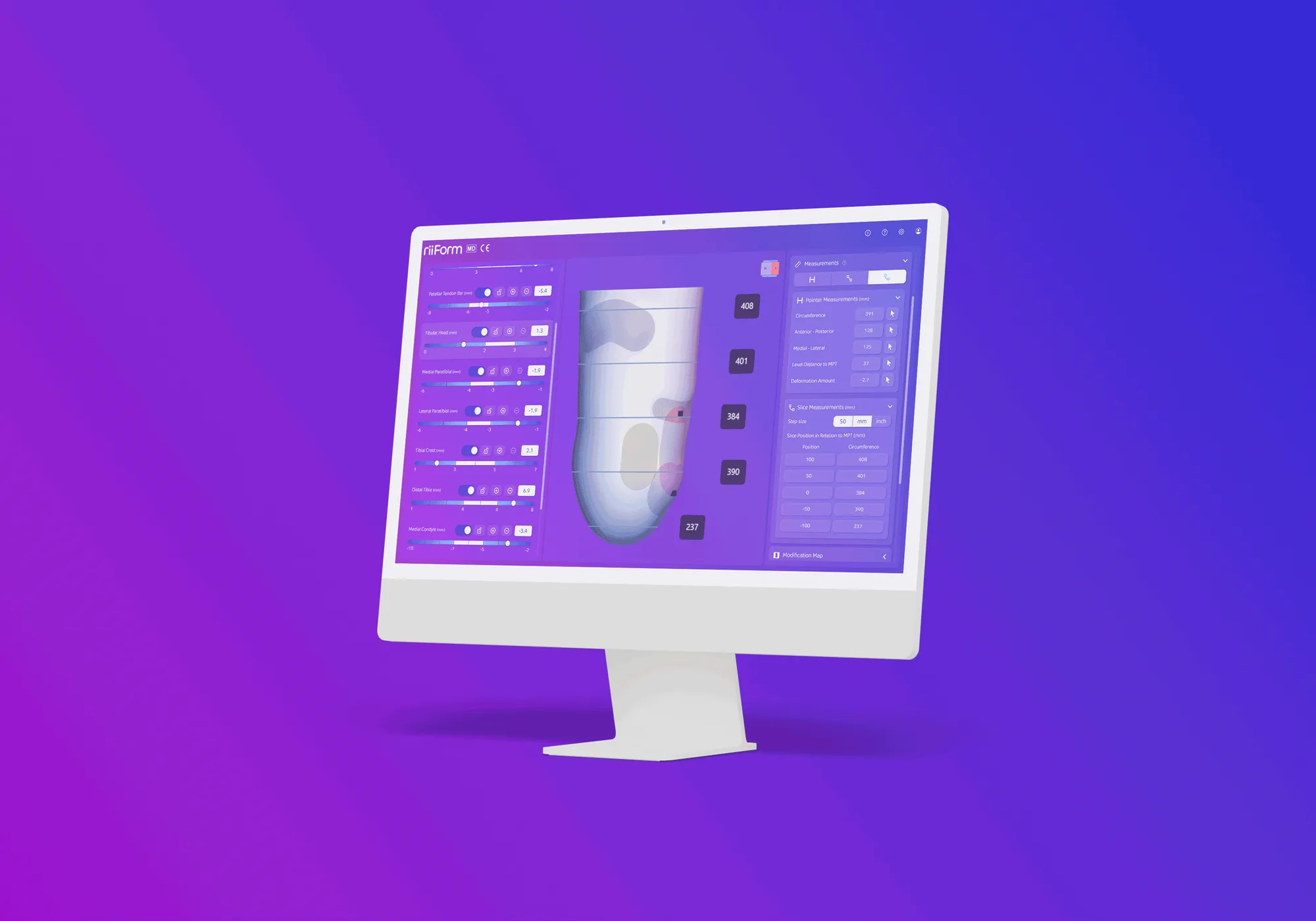
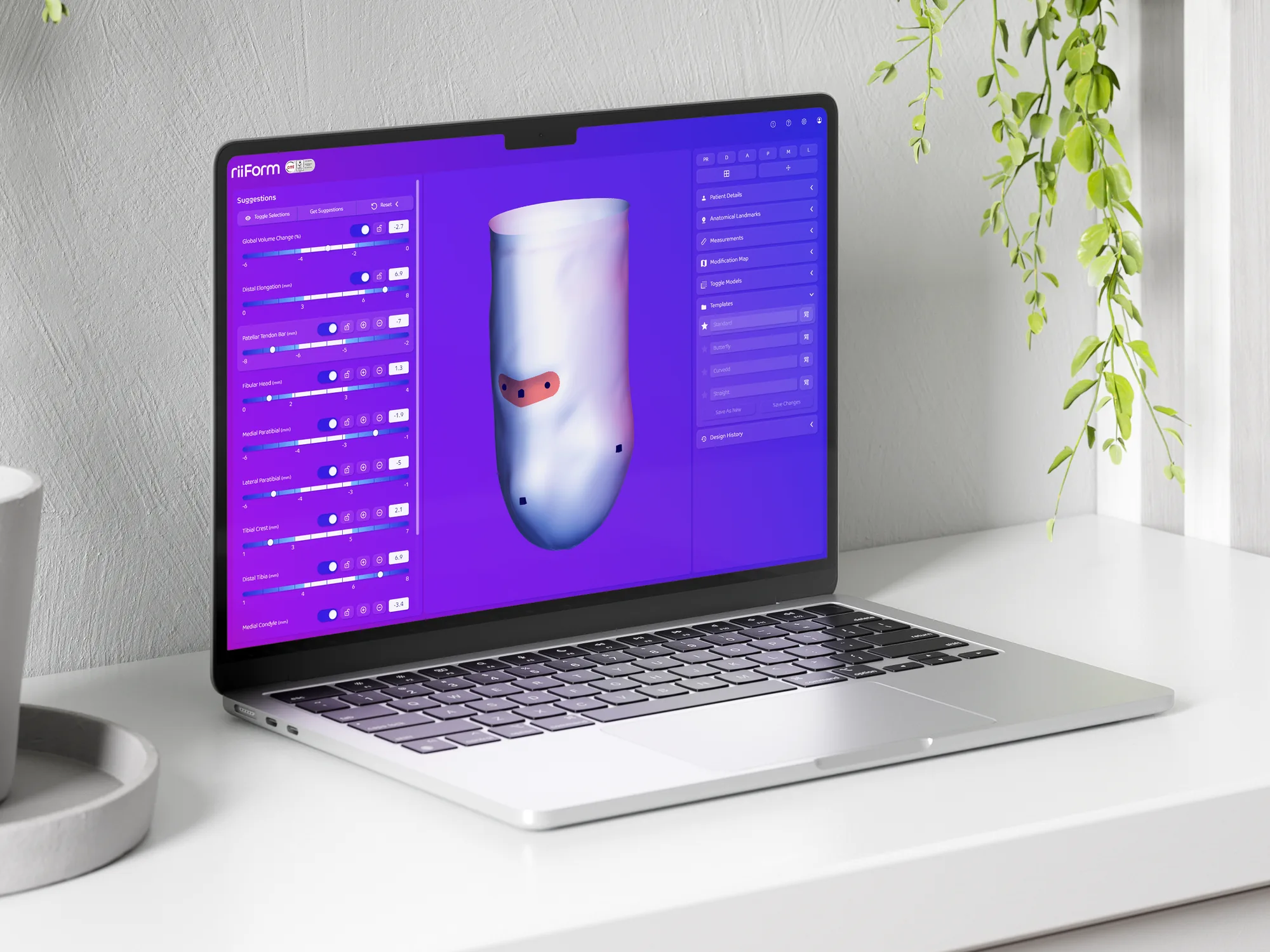
That single insight reshaped the Fit screen directly. In the earlier version, rectification values were raw, unlabelled sliders with no clinical framing, the modification map was a single global toggle that only showed whether something had changed — not where or by how much — and the measurements panel offered passive readings of the mouse location rather than tools clinicians could actively use. Off the back of what came out of those sessions, that became:
- An interactive measurements panel, mirroring the physical tools clinicians already used in clinic — point-to-point measurements that behaved like calipers, distributed slice measurements that behaved like a tape measure — so verifying the algorithm’s output didn’t require learning a new mental model.
- Templates, letting clinicians select predefined rectification setups built around specific clinical situations, so verifying an automated suggestion arrived with clinical context attached rather than as an unlabelled number.
- An adjustable modification map, visualising carves and builds directly on the mesh in real time, so clinicians could see exactly what the algorithm did and adjust the threshold of any change themselves.
Design Language and Scale
Beyond the Fit screen, I built out riiForm’s design language more broadly — breaking complex clinical processes into modular, familiar interface patterns that could cross both prosthetics and orthotics, and work consistently across tablet and desktop. Tools were grouped into dedicated workflows rather than sitting in one flat list, a clinician working through something like socket rectification could move straight through it step by step, in a sequence that mirrored their real-world process, rather than hunting through unrelated options.
Navigation was one of the harder problems to solve within this, since it had to be built out gradually — from no persistent navigation at all to a fully-built prosthetist’s toolkit — over several months, working around the pace at which the tech team could support new data structures. This staged approach let users start testing and giving feedback early, rather than waiting for a “finished” navigation system, and it meant Radii’s clinical team could be more hands-off during demos by the end of it — trusting users to find their way around, rather than walking them through it manually.
Where It Stands
riiForm is now in active use across US Veterans Affairs clinics, and is currently going through formal clinical evaluation within the NHS. Close to 100 patients have had a prosthetic socket designed using the platform, across multiple centres in both the UK and the US.